Windows Server 2016
DISA sunset release, dated January 15, 2025. Included for testing and historical review.
 STIG Checklist EditorINDEPENDENT PROJECT
A fully browser-based editor for DoD STIG checklists. Try three preloaded checklists, or import your own Cyber Exchange ZIP. Review rules, record evidence, and export CKL or STIG Viewer 3 CKLB files. No installation, account, or checklist upload to a server is needed.
Launch live demoReview access against the intended privilege boundary.
Open the working browser demo ↗Three preloaded checklists. Review, edit, export.Attach evidence that audit records are retained and protected.
Open the working browser demo ↗Three preloaded checklists. Review, edit, export.Record the approved setting and the evidence used to verify it.
Open the working browser demo ↗Three preloaded checklists. Review, edit, export.Windows Server 2016 opens on first visit. Switch checklists using the demo selector; save your changes before loading a fresh copy. These are complete published STIG rules, not simulated rule text.
DISA sunset release, dated January 15, 2025. Included for testing and historical review.
Published benchmark dated September 30, 2026. Every rule starts Not Reviewed.
Application Layer Gateway (ALG) checklist dated April 2, 2025, from the sunset Palo Alto package. Device management and IDPS are separate STIGs.
Pinned demo releases retrieved October 18, 2026. Check the DISA catalog for the appropriate baseline for a real assessment. Release sources and checksums.
Open the checklist editor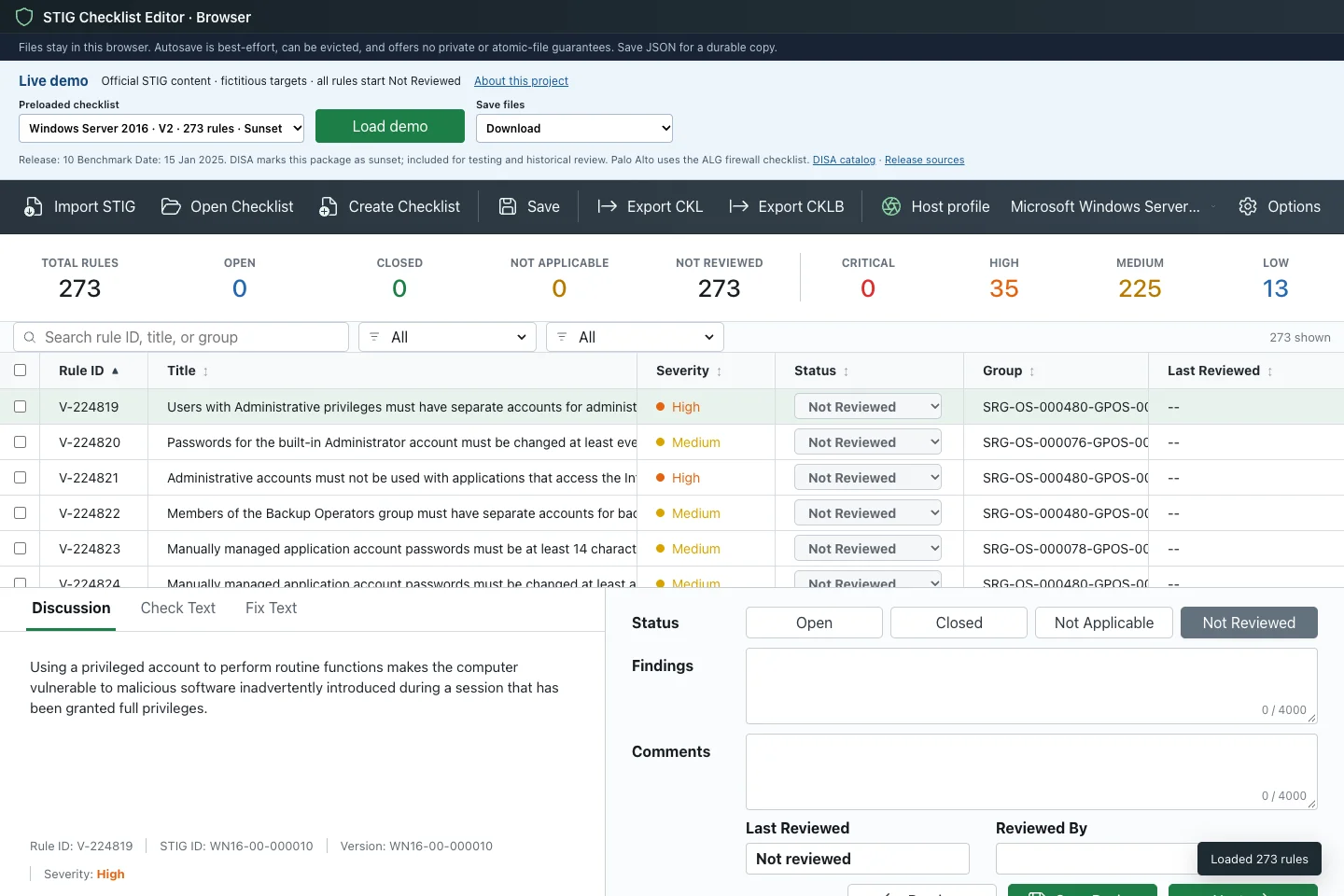
AI contribution: AI-assisted implementation and usability iteration. How I work with AI
Reviewing STIGs normally means STIG Viewer plus manual bookkeeping: fragile unsaved work, format churn between JSON, CKL, and CKLB, and matching hosts to the right STIGs by hand. This editor makes the whole loop one keyboard-driven tool.
Imports STIG XCCDF XML straight from Cyber Exchange ZIP packages — profile selection, resolved values, and readable rendering of rich check and fix content, as a cancellable background job.
Open, Closed, Not Applicable, and Not Reviewed — with Findings, Comments, reviewer fields, and backend-authored guidance when evidence is missing or inconsistent.
Saves editable checklist JSON and exports classic CKL plus STIG Viewer 3 CKLB 1.0 — with real target-asset metadata carried into every format.
The Go backend runs as WebAssembly in a Web Worker. Imported packages and findings are processed locally. Use a manual host profile; the app does not inspect your OS or installed software.
Multi-rule selection, batch status changes, batch Findings and Comments with explicit Keep, Append, or Replace modes, column sorting, and browser keyboard shortcuts.
Switch between independent checklists without losing edits. Download or reopen a complete workspace backup, with browser-local recovery on reload. Browser storage is best-effort and can be evicted.
Undo and redo review, evidence and target changes, with separate session history for each checklist. A batch edit is one undo step.
See unreviewed rules, open high-severity findings, missing evidence or reviewer details, and export errors. Jump directly to the rule or target that needs attention.
The editor walks the full checklist lifecycle without leaving the app.
Start immediately with Windows Server 2016, RHEL 9, or Palo Alto Firewall (ALG). All rules begin Not Reviewed, with fictitious targets clearly marked as demo data.
Manually download a ZIP from the DISA Cyber Exchange catalog, then choose Import STIG. Select an XCCDF profile and follow the cancellable import progress. No proxy or automatic DoD download is required.
Work the queue with four review states, findings, comments, and batch actions — sorted and filtered your way.
Save the editable JSON working copy, then export CKL or CKLB for the ATO package.
The live demo is open for user testing. Synthetic exports were checked in DISA STIG Viewer 3.8.1 on Linux; this is not a DISA certification. Send feedback about imports, review workflows, or exports. The source repository remains private.